Choose a platform around the actual EA, broker account and evaluation workflow. A product compiled for MT4 does not become an MT5 product by renaming its file, and moving between platforms does not establish that the same-looking settings will create identical trades.
MT5 offers a different testing and account-model environment, while an existing MT4 workflow may depend on a specific supported broker or program. Evaluate compatibility before comparing speed or a final-profit screenshot. Neither platform makes a strategy profitable, and broker specifications and real execution remain relevant in both.
Start with the correct executable and licence
An MT4 Expert Advisor is compiled for the MQL4 environment; an MT5 EA is compiled for MQL5. The commonly distributed .ex4 and .ex5 files target their corresponding platforms. A port requires a compatible implementation and validation, not a filename change.
If the seller publishes both versions, check exactly which licence and download you own. Do not assume one purchase includes a different listing. Input names can look alike while default values, order handling or units differ. Save each version's documented settings and test report separately rather than assuming a preset is portable.
Compare the tester assumptions rather than only the curves
MT5's tester supports real-tick history where available, multi-currency EA testing, optimization and a built-in forward split. History quality and execution assumptions still need inspection. A real-tick replay does not recreate every live liquidity event, rejection, connection interruption or fill.
The documented MT4 tester models intrabar movement from available lower-timeframe history and allows a spread assumption for Ask prices. That can produce a different experiment from an MT5 real-tick test. Record data source, dates, costs, volume rules and execution assumptions. A matching final return by itself does not show that two implementations followed the same path.
MT5 netting: one aggregate position per symbol
In the netting model, executions on one symbol change a single net position. Additional same-direction deals increase its volume; opposite-direction deals can reduce, close or reverse it. Separate order and deal records can still exist even though the current position is aggregated.
Consider two fictional EURUSD buys: 0.10 lots at 1.1000 and another 0.10 at 1.1020. Without a closing deal between them, the aggregate position is 0.20 lots with a volume-weighted opening price of 1.1010. An opposite 0.05-lot execution reduces that long to 0.15 lots; it does not leave a separate 0.05-lot short alongside it.
A subsequent opposite execution larger than the remaining long can reverse the position. Protective levels and modifications act on the current aggregate position, so several programs trading the same symbol can affect one another's exposure. Different magic numbers identify requests and deals but do not create separate net positions.
| Sequence | Netting account | Hedging account, if separate positions are opened |
|---|---|---|
| Buy 0.10, then buy 0.10 | One 0.20 long | Two 0.10 longs |
| Then open sell 0.05 | Long reduced to 0.15 | Separate 0.05 short may coexist if allowed |
| Close one selected ticket | Must respect aggregate position handling | Can close that individual position under account rules |
MT5 hedging: distinct positions, with account restrictions
A hedging model can maintain several positions on the same symbol, allowing ticket-specific management. Opposite positions may coexist when the account permits them. An instruction intended to close a particular position must identify it; opening an opposite position is not always the same operation as closing an existing one.
Hedging is not the absence of risk. Spread, commission and financing can apply to both sides, and hedged margin depends on the broker's method. Equal opposite volumes can reduce net directional exposure while leaving gross exposure, execution costs and operational complexity. Some accounts also impose opposite-position or closing-order restrictions.
Check the actual account, not an assumed default
The broker makes the account's position-accounting model available; it is not a per-chart switch you change to make an incompatible EA work. Ask for the exact demo account type and verify its mode. Developers can read the account margin mode and related permission properties; ordinary users should confirm the broker's account specification and actual position behavior on demo.
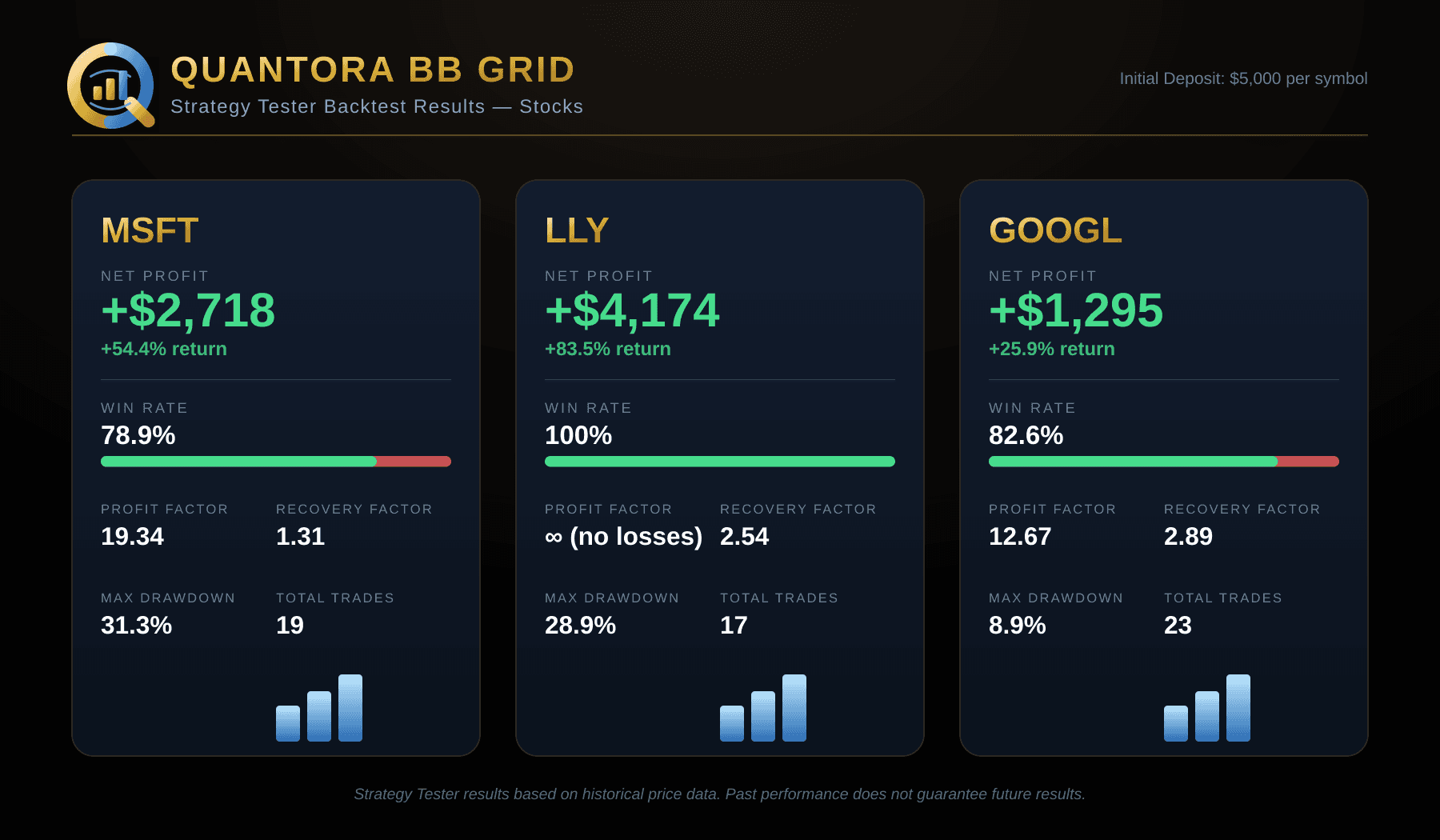
A grid design built to manage independent tickets may require hedging, while another implementation can explicitly support aggregate net positions. There is no universal rule that every grid must use hedging. Quantora BB Grid's current product requirements specify a hedging-enabled MT5 account; consult each other product's documented compatibility separately.
Use an evidence-preserving migration checklist
- Identify the correct platform build and licence before installing or moving a preset.
- Record the old and proposed broker symbols, contract sizes, account currencies, sessions, financing and volume rules.
- Verify the MT5 account mode and the product's handling of additional or opposite executions.
- Reproduce entries and exits on demo, including partial closes, protective levels and a controlled restart.
- Compare complete trade paths and losing periods under documented test assumptions, not only a profit total.
- Choose one intended execution instance and reconcile existing positions before enabling a replacement terminal or hosted copy.
Common questions
- Can a magic number isolate two EAs on one netting symbol? It helps identify records but does not split the aggregate position. The programs need compatible ownership and exit handling.
- Is hedging always safer? No. Gross exposure, costs and management rules still matter, and offsetting orders can add complexity.
- Do the same inputs guarantee the same trades on MT4 and MT5? No. Data, execution, account mode and implementation can differ.
- Should I switch solely because a new backtest looks better? First establish that the model, data and rules are comparable, then evaluate new untouched evidence.